There's a version of minimalism that means owning almost nothing. A mattress on the floor, a single coffee mug, a monk-like devotion to empty surfaces.
That's not me.
I'm a minimalist who runs two servers, two NAS units, a UniFi network stack, and enough smart home devices to automate most of my daily routines — all inside a 650 square foot apartment in Montreal. And I'll be honest: I don't see any contradiction in that.
Minimalism, to me, has never been about owning less. It's about owning intentionally. Every piece of technology in this apartment earns its place. If it doesn't solve a real problem, it doesn't stay.
This is how I built a homelab that runs quietly in the background — and what I actually use it for.
Why a Homelab in a Small Apartment?
After eleven years in leadership roles in IT — service desks, AI systems, teams of 15+ technicians — I developed a deep appreciation for infrastructure that just works. No drama, no mystery outages, no "did someone unplug it?" moments.
When I came home at the end of those days, I wanted the same thing for my personal life. Reliable storage. A network I could trust. Services I controlled. Not Google's version of my data. Mine.
The homelab started small. It didn't stay that way. But every expansion had a reason behind it.
The Network Cabinet: Where Everything Lives
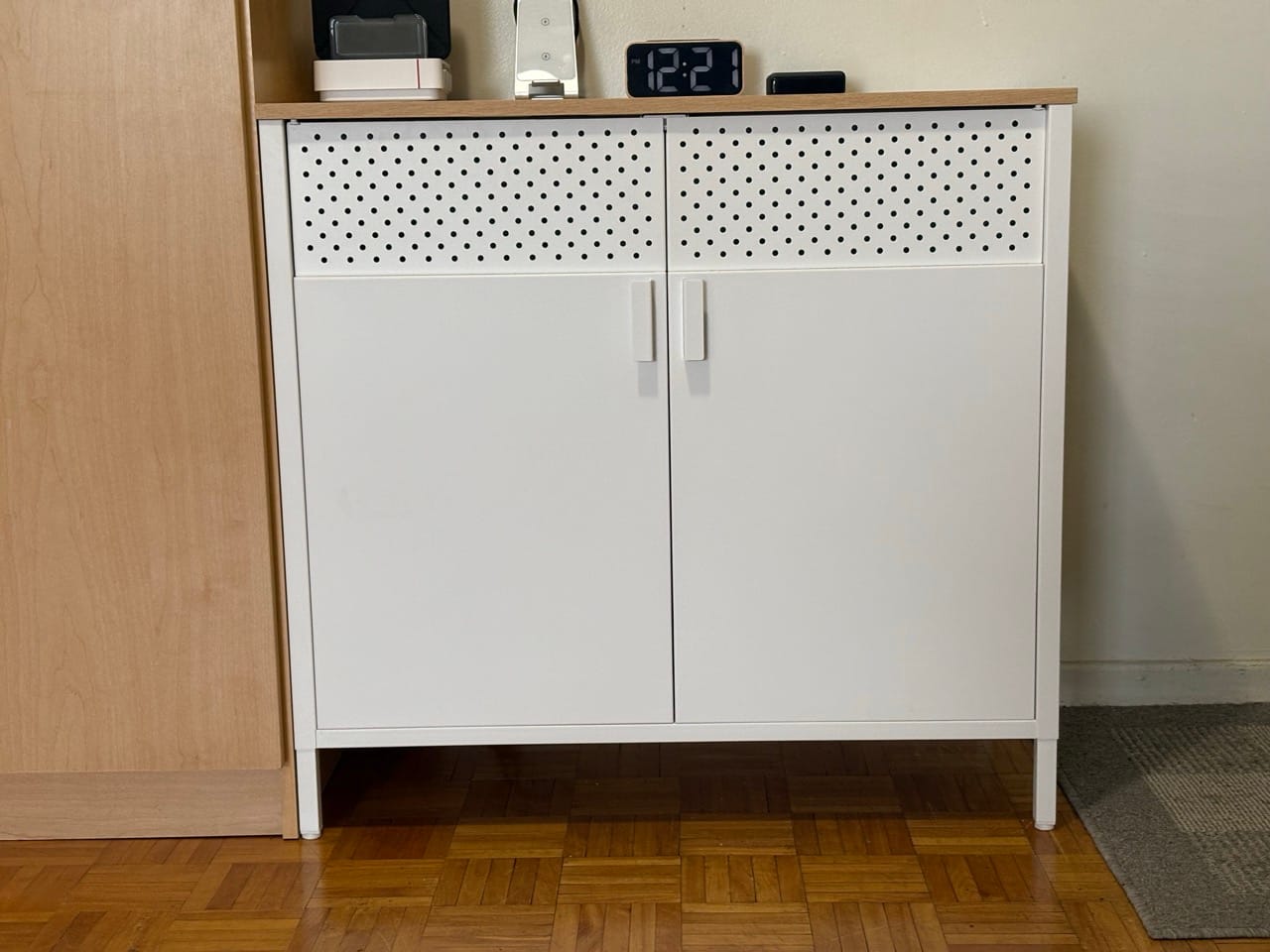
The physical heart of the setup is a small network cabinet tucked into a dedicated spot in the apartment. From the outside, you'd never know it was there.
Inside it:
Compute
- Beelink SER5 — running Proxmox VE (PVE1). This is my primary hypervisor. AMD Ryzen 5 5800HX, 32GB RAM, 1TB NVMe. It hosts most of my virtual machines and containers.
- Beelink EQR6 — running Proxmox Backup Server. AMD Ryzen 5 6900HX, 12GB RAM, 2×500GB NVMe in RAID 1. Its only job is backups. It does that job very well.
Both Beelinks are compact, quiet, and efficient. They consume a fraction of the power a rack server would, which matters in a small apartment.
Storage
-
Ugreen DXP4800 Pro — 2×2TB NVMe + 2×2TB SSD, configured as two 4TB JBOD pools. Faster access storage for active projects and VMs.
-
Synology DS923+ — 40TB of HDD storage. This is where media lives: my Plex library, Jellyfin, long-term archives, and Google Drive sync. It's been running without a single issue.
Networking
- UniFi Cloud Gateway Max — the router. Four 2.5G ports, clean UI, rock-solid performance on Bell's 1.5Gbps fibre.
- UniFi Express 7 — access point in the living-room, extending coverage with Wi-Fi 7.
- Multiple UniFi Flex switches — 2.5G throughout the apartment.
Everything on the network has a fixed IP or a known DHCP lease. I know exactly what's connected and what it's doing. I'll talk about the documentation side of things in a later post.
The Desk: Where I Actually Work
The main desk runs an Apple M4 Mac Mini connected to a Dell 34" ultrawide monitor via an Ugreen Revodock Max Thunderbolt 4 dock. An 8TB Terramaster D4 SSD DAS is connected via Thunderbolt 3 — that's 4×2TB NVMe drives in JBOD, functioning as my primary fast storage.
Input is a Logitech MX Keys Mini keyboard and MX Master 4 mouse. A TessSmart dual-display KVM lets me switch between the M4 and other machines without touching a cable.
The Obsbot Tiny 2 Lite handles video when I need it. Pair that with the Elgato Wave 3 microphone and a SmallRig LED light on a monopod, and the desk doubles as a basic recording setup.
An Elgato Stream Deck Plus sits to the side — 8 buttons, four dials, a small screen. It controls recording workflows, app switching, and a few home automation shortcuts. Once you use one, you don't go back.
The Smart Home Layer
This is where it gets interesting for a supposed minimalist.
The apartment runs Philips Hue throughout — lightstrips behind the monitors, behind the TV stand, in the bedroom, a few bulbs in every room. All controlled through Apple HomeKit via two HomePods acting as hubs.
Aqara handles security: a G100 camera at the entry, door sensors, motion sensors, leak sensors in the kitchen and bathroom. All feeding into HomeKit.
IKEA smart home switches fill the gaps — affordable, reliable, and they play nicely with the rest of the ecosystem.
A SwitchBot K10+ robot vacuum handles the floors. In 650 square feet, it completes a full run in under 30 minutes. I schedule it every morning. I never think about vacuuming.
All of this is tied together by Home Assistant, running as a VM on the Proxmox server. It's the layer that makes everything talk to everything else — automations, presence detection, dashboards.
Power Protection
Four CyberPower UPS units protect the critical equipment. The network cabinet has its own 1000VA unit. The office gear has two more. The modem has a dedicated 700VA unit.
In Montreal, where a freezing rain storm can knock power for hours, this matters. The network stays up. The servers gracefully shut down if the outage is prolonged. Nothing gets corrupted.
What Does All This Actually Cost to Run?
Less than you'd think. The two Beelinks together draw roughly 30–40W under normal load. The Synology and Ugreen NAS units add more when their drives spin up, but they're configured to sleep when idle. The UniFi gear is efficient.
My hydro bill hasn't noticeably changed since I built this out. The infrastructure pays for itself in the services it replaces — cloud storage subscriptions, streaming services I can host myself, remote access tools I no longer need.
The Minimalist Principle That Makes It Work
Here's what I keep coming back to: every piece of this setup is invisible when it's working correctly. The lights turn on when I walk in. The floors get cleaned while I'm having coffee. My files are backed up in three places without me touching anything.
That's the goal. Not fewer things. Fewer things demanding my attention.
A homelab isn't inherently minimalist. But a well-designed one can be.
Most of the gear mentioned in this post is available on Amazon.ca — I've linked everything I could below. Many are affiliate links, which means I earn a small commission at no extra cost to you. I only link things I would actually recommend and in most cases have used myself. In the case were an item is no longer available I've linked to an equivalent product
Gear Mentioned
Gear I Use in This Setup
| Item | What I Use It For | Link |
|---|---|---|
| Beelink SER5 Mini PC | Primary Proxmox hypervisor | View on Amazon.ca |
| Beelink EQR6 Mini PC | Proxmox Backup Server | View on Amazon.ca |
| Synology DS923+ NAS | Media storage, Plex, backups | View on Amazon.ca |
| Ugreen DXP4800 Pro NAS | Fast active storage | View on Amazon.ca |
| Terramaster D4 SSD DAS | Thunderbolt 3 fast storage for M4 | View on Amazon.ca |
| UniFi Cloud Gateway Max | Main router | View on Amazon.ca |
| UniFi Express 7 | Wi-Fi 7 access point | View on Amazon.ca |
| CyberPower UPS 1500VA | Power protection for office gear | View on Amazon.ca |
| CyberPower UPS 1000VA | Power protection for office gear | View on Amazon.ca |
| CyberPower UPS 700VA | Power protection for office gear | View on Amazon.ca |
| Elgato Wave 3 Microphone | Podcast and video audio | View on Amazon.ca |
| Elgato Stream Deck Plus | Workflow automation shortcuts | View on Amazon.ca |
| Obsbot Tiny 2 Lite | 4K webcam for video | View on Amazon.ca |
| Logitech MX Master 4 | Main desk mouse | View on Amazon.ca |
| Logitech MX Keys Mini | Main keyboard | View on Amazon.ca |
| Philips Hue Lightstrip Plus | Ambient smart lighting | View on Amazon.ca |
| SwitchBot K10+ Robot Vacuum | Automated floor cleaning | View on Amazon.ca |
| Aqara G100 Camera | Entry security camera | View on Amazon.ca |