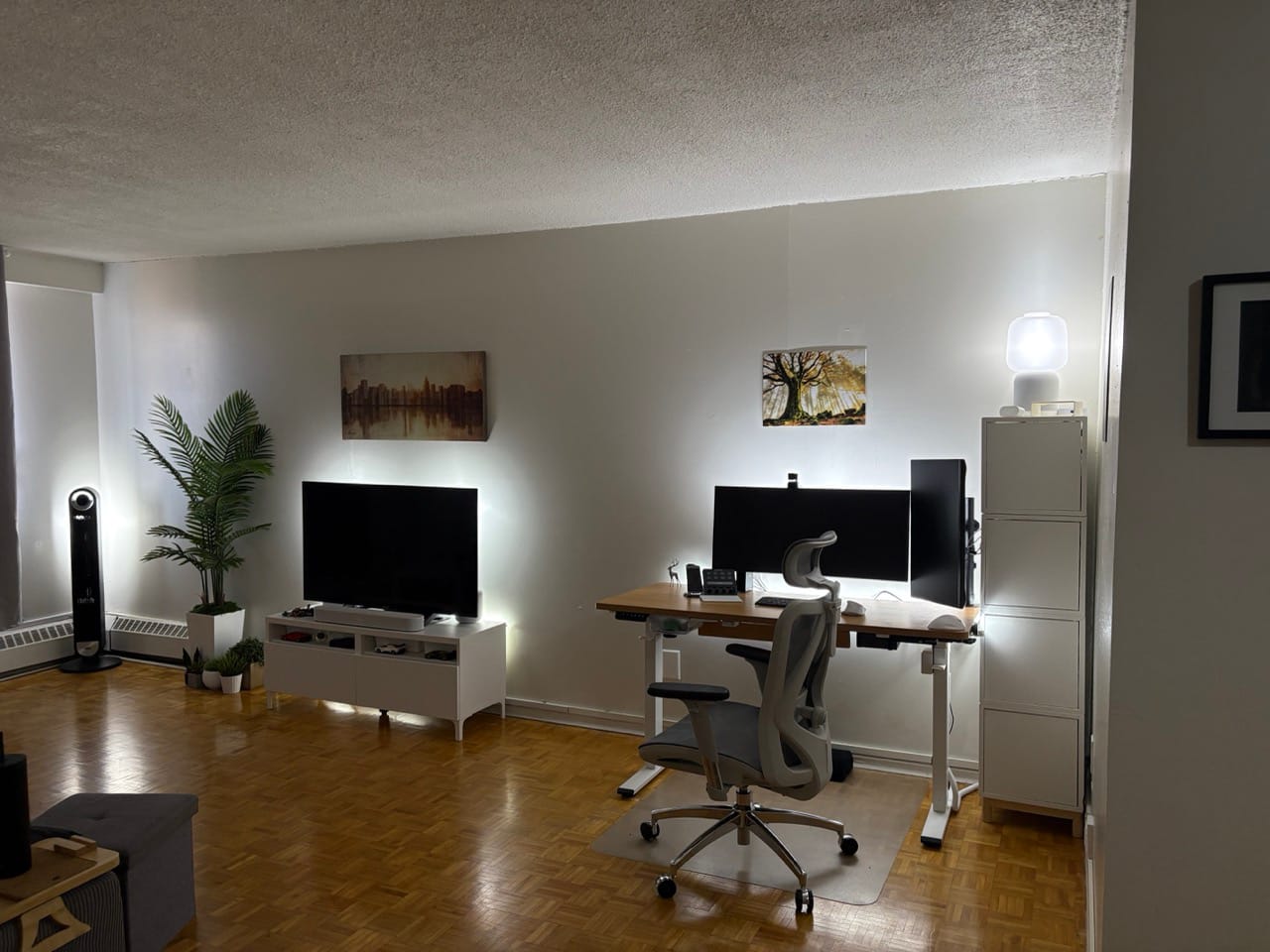
Let me save you some time and about $500: not every smart device that claims to work with your setup actually will.
I know this because I spent that much on Govee smart lamps and bulbs before admitting they were never going to integrate reliably with my setup. Into a box they went. Eventually out the door.
I live alone in a 650 sq ft apartment in Montreal. I've been a practicing minimalist for a decade. I spent 11 years managing enterprise IT infrastructure at scale. By every measure, I should have the leanest, cleanest smart home setup imaginable.
Instead I'm running Homey, Home Assistant, Apple HomeKit, a Philips Hue bridge, an Aqara hub, and a SwitchBot hub — all simultaneously.
Here's why, and what I've actually learned from three years of building this.
The Honest Truth About "Minimalist" Smart Homes
Most smart home content shows you a perfect, unified ecosystem. One app. One hub. Everything talking to everything else seamlessly.
That's not real life — at least not without spending a weekend tearing everything apart and rebuilding from scratch. And here's the minimalist trap: sometimes the cost of achieving simplicity is higher than just accepting the complexity that's already working.
My setup is not minimal. But every piece of it earns its place, and nothing requires my daily attention. That's the actual goal.
What I Run and Why
The Lighting: Philips Hue (10+ Years In)
Philips Hue is the oldest part of my setup and the part I'd replace last. I have bulbs in every room, six lighstrips across the bedroom, desk, monitors, and TV stand, and physical Hue switches and dials throughout the apartment.
I don't use the app to turn lights on and off. The switches handle that. What Hue actually does for me is run time-based scenes automatically — warm, dim tones after 9 PM, brighter cooler light in the morning. My brain gets the wind-down signal without me touching anything.
What I learned the hard way: I spent around $500 on Govee bulbs and lamps because they were cheaper and looked good on paper. They claimed compatibility but never integrated reliably with my setup. I eventually boxed all of it and went back to Hue. Buy once, cry once.
(Philips Hue starter kits are available on Amazon.ca — affiliate link)
The Sensors: Aqara
Aqara handles my physical sensing layer — leak sensors in the bathroom and kitchen, a door sensor at the entry, a humidity sensor, motion sensor in the bathroom, and a presence sensor in the bedroom.
The leak sensors alone justify the entire Aqara investment. Water damage in a Montreal apartment building is not a hypothetical. Knowing the moment something goes wrong — before it becomes a ceiling leak for the person below me — is worth every penny.
(Aqara sensors are available on Amazon.ca — affiliate link)
The Climate: Sensibo Air + Dreo
My bedroom has a portable AC unit, which isn't smart by default. The Sensibo Air clips onto it and gives it a full smart interface — schedules, temperature targets, remote control. It reads the room temperature and adjusts the AC accordingly rather than just blasting cold air on a timer.
For airflow I run Dreo fans in the bedroom and living room, and a Dreo humidifier in the bedroom. These are the one category where I'm still using Home Assistant as the controller — Homey doesn't support Dreo natively yet.
(Sensibo Air is available on Amazon.ca — affiliate link. Dreo fans also available on [Amazon.ca]
The Vacuum: SwitchBot K10+
The SwitchBot K10+ is a compact robot vacuum sized specifically for small spaces. In 650 sq ft it covers the whole apartment in one run.
I won't pretend it's perfect — it occasionally gets stuck on the transition strip between the entryway and bathroom. But I have it automated to run every morning when I leave the apartment, so I never hear it, never have to think about it, and come home to clean floors. The occasional stuck vacuum is a small price for that.
(SwitchBot K10+ available on Amazon.ca — affiliate link)
The Network Backbone: Unifi
You cannot build a stable smart home on your ISP's provided router. I run a Unifi Cloud Gateway Max as my router with several Unifi Flex switches throughout the apartment.
The practical benefit: my IoT devices live on a separate network segment from my computers and NAS. Smart home gadgets can talk to their hubs, but they can't touch my personal data. In a world where every cheap sensor is phoning home to a server somewhere, network isolation is the privacy control most people skip entirely.
The Automation Layer: Three Hubs, One Goal
Here's where I'll be fully transparent: I'm running three automation platforms simultaneously.
Homey is the primary brain. Most of my devices — Hue, Aqara, SwitchBot — connect here, and most of my automations run here. It's not perfect but it handles the daily logic reliably.
Home Assistant covers what Homey can't — specifically my Dreo devices, which don't have native Homey support yet. One day I'll consolidate. For now, it works.
Apple HomeKit handles my cameras exclusively. HomeKit's secure video processing keeps footage processed on-device rather than on a corporate server. For cameras specifically, that privacy trade-off matters to me.
Is this minimal? No. But here's the thing I've had to accept as both a minimalist and someone who knows how long it takes to migrate smart home infrastructure: breaking a working system to achieve theoretical elegance is not minimalism. It's just a different kind of clutter.
What I Actually Got Rid Of
Govee everything. ~$500 worth of lamps and bulbs that claimed broad compatibility and never delivered it. The lesson: compatibility claims on the box mean nothing. Check community forums for your specific hub before buying.
Amazon smart home products. Removed for privacy and reliability reasons. When a company's business model is built on knowing what you do in your home, their smart home products are not neutral tools.
The idea of a single perfect hub. The most expensive thing I got rid of wasn't hardware — it was the belief that I'd eventually get everything running through one app. Accepting that three platforms each doing their job well beats one platform doing everything poorly saved me more time than any consolidation project would have.
3 Rules I Actually Follow
1. If it breaks what's working, it's not an upgrade.
Migrating a functioning device to a new hub costs time and risks instability. The minimalist move is sometimes to leave it alone.
2. Automate the things you'd forget, not the things you enjoy.
My lights turning off when I leave the apartment — I'd forget that constantly. My vacuum running while I'm out — I'd skip it out of laziness. Those are worth automating. Automating my morning coffee routine would just be novelty.
3. Privacy is a feature.
Network isolation, HomeKit secure video, removing Amazon devices — these aren't paranoia. They're the same discipline I'd apply to any enterprise network. Your home deserves the same thinking.
The Real Verdict
My smart home is not a showpiece. It's a working system built incrementally over years, with the scars to prove it — a drawer somewhere that used to have Govee products in it, a Google Nest Mini I kept only because its alarm is more reliable than Apple's, three hubs running in parallel because consolidating them isn't worth the disruption.
But it runs quietly, it handles the things I'd otherwise forget, and it doesn't ask for my attention. For a 650 sq ft apartment, that's enough.
What's the gap between your ideal smart home setup and what you're actually running? I'd be curious to know in the comments — especially if you've found a cleaner way to consolidate hubs without a full weekend rebuild.
Disclosure: Some links in this post are Amazon.ca affiliate links. I earn a small commission at no extra cost to you. I only link to products I actually own and use.